Bernini AI Video Generation and Editing
Bernini is a new AI video generation and video editing system from ByteDance, built around scene understanding, visual planning, and reference-image guidance.
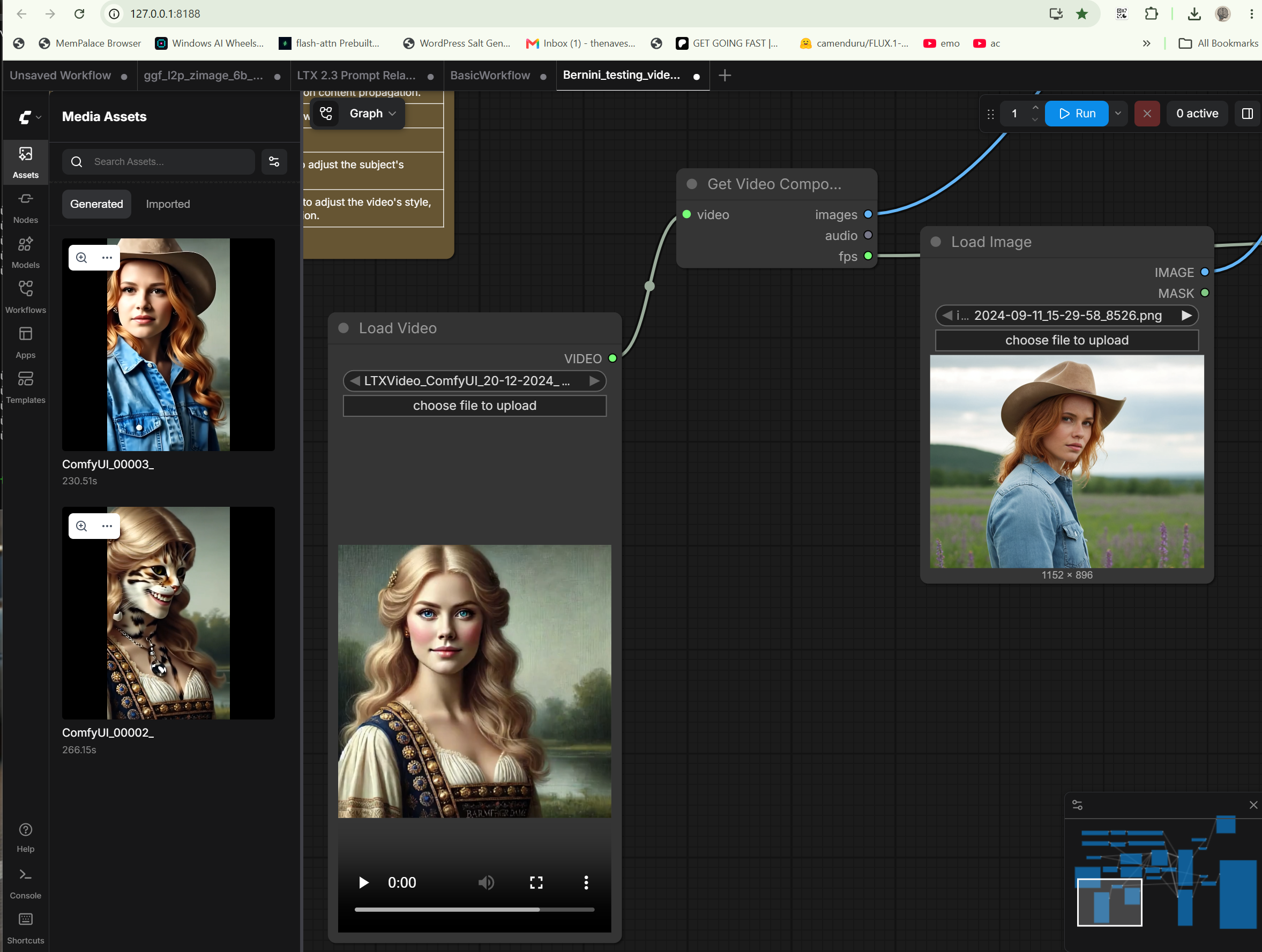
Bernini is one of the more interesting video tools to show up recently because it is not just another prompt-in, video-out model. It is built around latent semantic planning, which means it tries to understand what is supposed to happen in the scene before rendering the final result.
That is the part that makes it exciting for hobbyists. Instead of only hoping the model guesses correctly, Bernini gives you workflows that can use reference material to guide the subject, style, clothing, object details, or overall visual direction of the video.
Why This Is Interesting
Smarter Scene Planning
Bernini tries to plan the scene before rendering, which gives it a different feel from basic prompt-only video generation.
Reference Image Guidance
Use a reference image to guide visual features, clothing, subject details, style, objects, or the general look of the video.
Video Editing Workflows
Experiment with reference-image-guided editing, style changes, character consistency, costume changes, and creative visual edits.
Quick Setup
No manual ComfyUI build, no hunting for the workflow, and no wiring the pieces together from scratch.
What You Can Do With Bernini
- Create videos from text prompts
- Animate images into video
- Edit existing video workflows
- Use reference images to guide the look of the result
- Carry visual details from a reference image into a generated video
- Experiment with character consistency and stylized edits
- Test outfit, object, subject, and style guidance
Reference-Image-Guided Editing
This is the big hobbyist feature. You can provide a reference image and use it to influence the final video. That can mean matching a character style, borrowing clothing details, keeping an object recognizable, pushing a specific visual mood, or testing creative edits based on your own images.
Responsible Use
Bernini’s reference-image features are powerful, so use them responsibly. This tool is intended for your own images, your own characters, creative projects, stylized work, and consenting subjects.
Do not use it to impersonate real people, mislead viewers, or create deceptive edits. Keep it focused on experimentation, art, character work, and legitimate creative projects.
Quick Setup Version
This download is the Quick Setup Version. It uses ComfyUI behind the scenes, but it is packaged for members who want to get straight to experimenting without manually building a ComfyUI setup.
Set up Steps
- Download the ZIP
- Extract it to a folder on your computer
- Click the set up file
- When the set up finishes, click the run file
- A ComfyUI window will open with the Bernini setup ready to use
This is the best version for most members. Advanced users who already have ComfyUI set up can use the existing-ComfyUI version instead.
Bernini Existing-ComfyUI Version
FREE FOR ALL FARM HAND MEMBERS.
Included Features
- Bernini AI video generation and editing
- Text-to-video workflow support
- Image-to-video workflow support
- Video editing workflow support
- Reference-image-guided video workflows
- Semantic scene planning before final rendering
- Reference image guidance for visual features, style, clothing, subjects, and objects
- Quick Setup for easier member setup
- ComfyUI backend included and prepared by the setup
- Ready-to-use workflow setup after setup
Requirements
- Windows 10 or Windows 11
- NVIDIA GPU recommended
- Internet connection required for initial setup and model download
- Enough disk space for the app, ComfyUI backend, workflows, and required models
- This Quick Setup Version should be extracted to its own folder
Notes
- This is the Quick Setup Version for most members
- It uses ComfyUI as the backend, but sets up more like a single app
- The first setup may take a while while the setup downloads and prepares the required files
- Use your own images, your own characters, creative projects, stylized work, and consenting subjects
- Advanced users with an existing ComfyUI set up should use the existing-ComfyUI version instead
Get Going Fast provides community setup guidance, documentation, tutorials, troubleshooting support, and member services. Get Going Fast does not sell, host, store, mirror, or redistribute AI model files, model weights, training datasets, or third-party project files.
When a setup guide references third-party dependencies, repositories, or model files, it points users to official upstream public sources such as GitHub, Hugging Face, package managers, or original project repositories, subject to those sources' own licenses, terms, and availability.
Get Going Fast is a general-audience AI education and workflow site, not an adult-content site or hosted AI generation service. Do not use Get Going Fast materials, support, guidance, or referenced third-party tools for unlawful, abusive, non-consensual, sexually explicit, exploitative, harassing, deceptive, or privacy-violating content, including misuse of another person's likeness, voice, identity, intellectual property, privacy, or publicity rights. See our Acceptable Use Policy.
If you are a rights holder, platform reviewer, payment processor, or hosting provider with a concern about a listed tool, guide reference, or upstream source, please contact us. We will review the concern promptly and remove or revise references when appropriate.
Related Tools